
Expert Library
How to use the NNScholar desktop Expert Library module, with screenshot guidance and completion checks.
Expert library is for specialized academic workflows. It is not just a prompt list. It is where domain experts and reusable research skills live, including experts generated from uploaded literature.
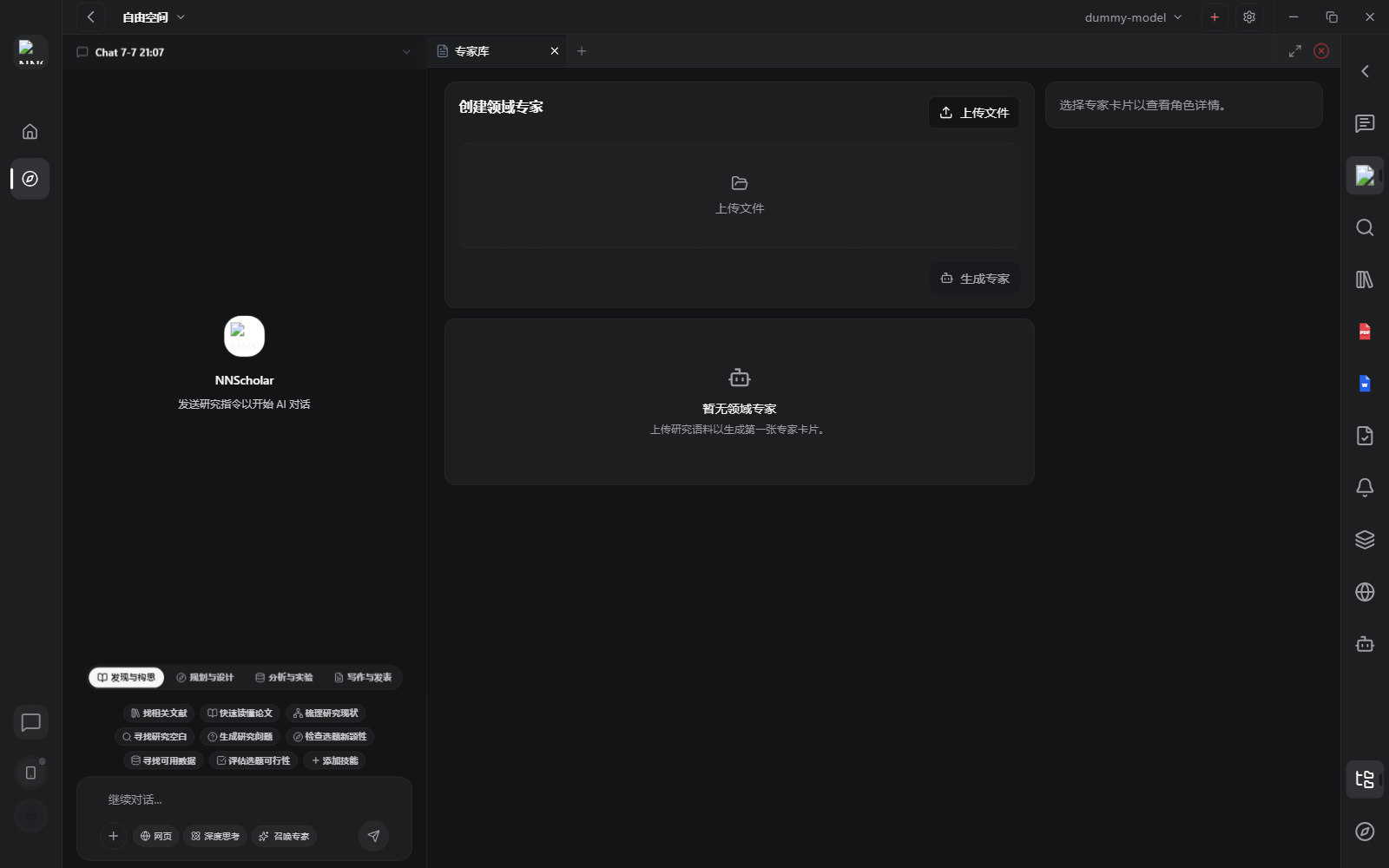
When it opens, you see the expert library or skill-market entry points. You can choose a domain expert from an expert card or create a new expert from a research corpus. The point of this module is to help the user pick the right expert before asking for specialist work.
Use Expert library for:
- choosing a specialist for literature strategy, paper reading, research design, manuscript support, or review critique
- uploading a research corpus to create a domain expert
- generating a reusable citation-grounded expert skill from a literature folder
- checking which expert persona, source files, and field definition will guide the answer
How to use it:
- Open Expert library when a task needs specialist judgment rather than general chat.
- Select an existing expert card, or upload the files that define the research corpus for a new expert.
- Review the expert name, field, source files, and intended use before relying on it.
- Summon the expert into Chat or use it for the specific task it was built for.
- For generated experts, treat the result as review-first. Confirm that the generated skill requires citations and stays grounded in the uploaded corpus.
Before leaving Expert library, check which expert was used, which corpus supports it, and whether its output still needs human review before reuse.
Example Demo
Scenario: you saved 20 papers about chronic kidney disease, chest CT, muscle loss, and mortality risk, and you want a reusable domain assistant.
How to run it:
- Confirm in Library that the papers and PDFs are in one folder.
- Open Expert library and create a "CKD CT muscle prognosis expert" from that folder.
- Review the expert card for sources, supported questions, and boundaries.
- Return to Chat and ask the expert to explain study design or review a manuscript method section.
The output is not a one-time answer. It is a reusable expert capability with an explicit source boundary.
Next Step
Return to the right-rail module overview, or move the current output into the next module in the workflow.