
Document Writing
How to use the NNScholar desktop Document Writing module, with screenshot guidance and completion checks.
Document Writing is for drafting and revising formal manuscripts. Use it after the research question, sources, target journal, or document shape are clear.
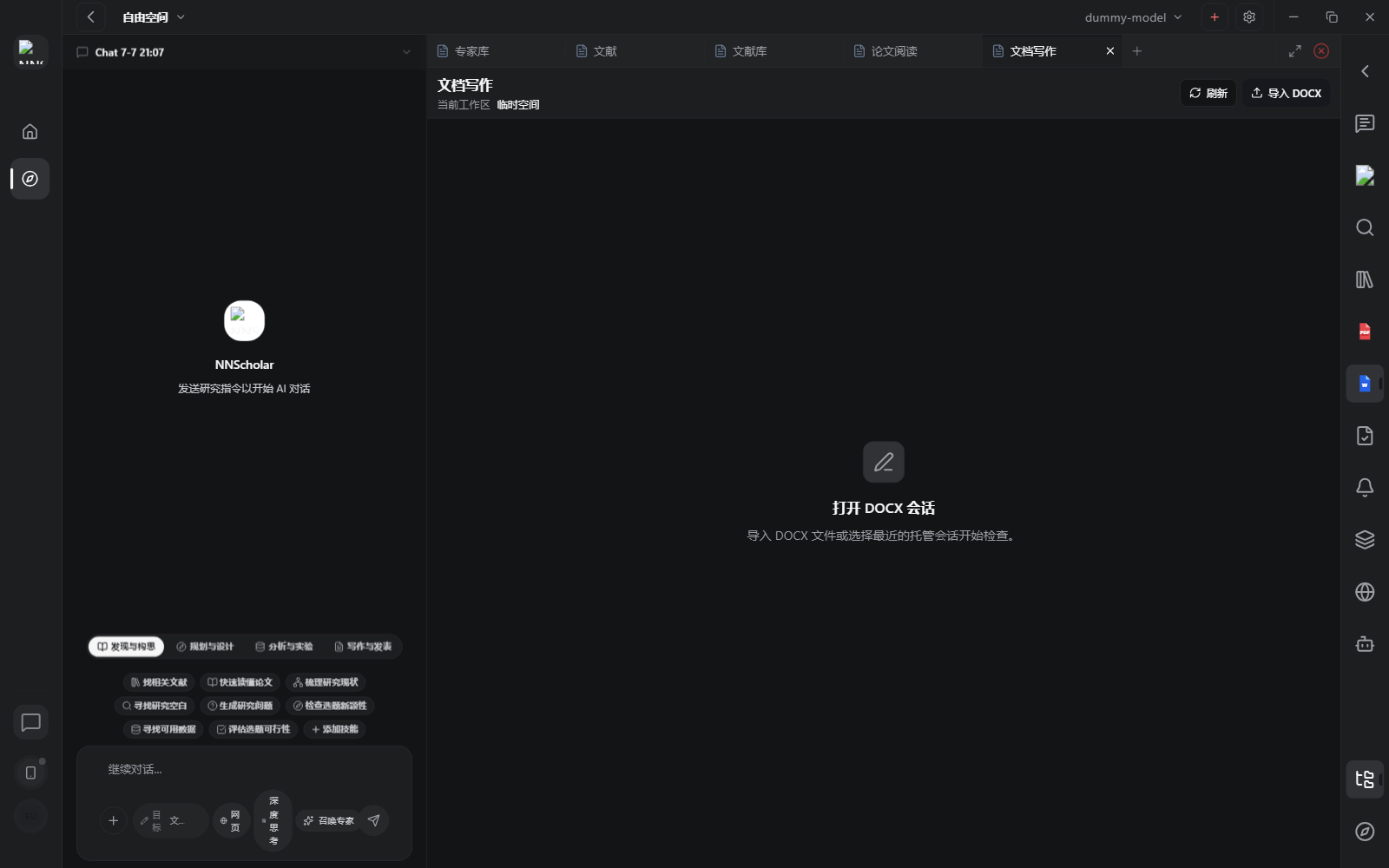
When it opens, you see the document-writing workbench and entry points for import, editing, format matching, document Q&A, and document review. This module is for formal manuscript work: writing manuscripts, revising existing DOCX files, matching target formats, and checking document quality.
Use Document Writing for:
- drafting a manuscript or section-by-section paper text
- revising an existing manuscript, report, response letter, or DOCX
- matching the format of a target journal, template, or example document
- asking questions about the current document, such as whether the Methods section is complete
- reviewing logic, citations, formatting, result consistency, and overclaiming
- preparing cover letters, response letters, supplementary-material descriptions, and final exports
How to use it:
- Bring in the source set first: Library folders, PDF evidence verified in Paper reading, study design from Chat, or analysis outputs from Deliverables.
- Define the document type, target journal, template, and section. Methods, cover letters, rebuttals, and full manuscripts need different constraints.
- For a new manuscript, build the structure first, then draft Introduction, Methods, Results, and Discussion in small units.
- For an existing manuscript, import the document and use NNScholar for revision, format matching, document Q&A, or document review.
- Keep substantive claims tied to supporting PDF evidence, references, or reviewed analysis.
- Export or move into submission only after checking references, figures, tables, section structure, formatting, and submission materials.
Before leaving Document Writing, check that the manuscript is not just fluent but traceable, correctly formatted, and citation-consistent. Every substantive claim should connect back to PDF evidence, references, or reviewed artifacts.
Example Demo
Scenario: you have a Word draft and a target journal template, and you want to clarify the Methods section and check citations.
How to run it:
- Open Document Writing and import the manuscript or start a new one.
- Set the target: "Revise Methods for the journal format and check whether each key claim traces back to Library or Paper reading evidence."
- Ask NNScholar for revision suggestions before overwriting all text.
- Ask the revised section: "Does this paragraph clearly define inclusion criteria, variables, and statistical models?"
The manuscript should become not only smoother, but also checked for format, citations, logic, and evidence traceability.
Next Step
Return to the right-rail module overview, or move the current output into the next module in the workflow.