
Literature
How to use the NNScholar desktop Literature module, with screenshot guidance and completion checks.
Literature is the search and screening module. Use it when you need to find papers, inspect metadata, compare candidate results, or build a new reading set.
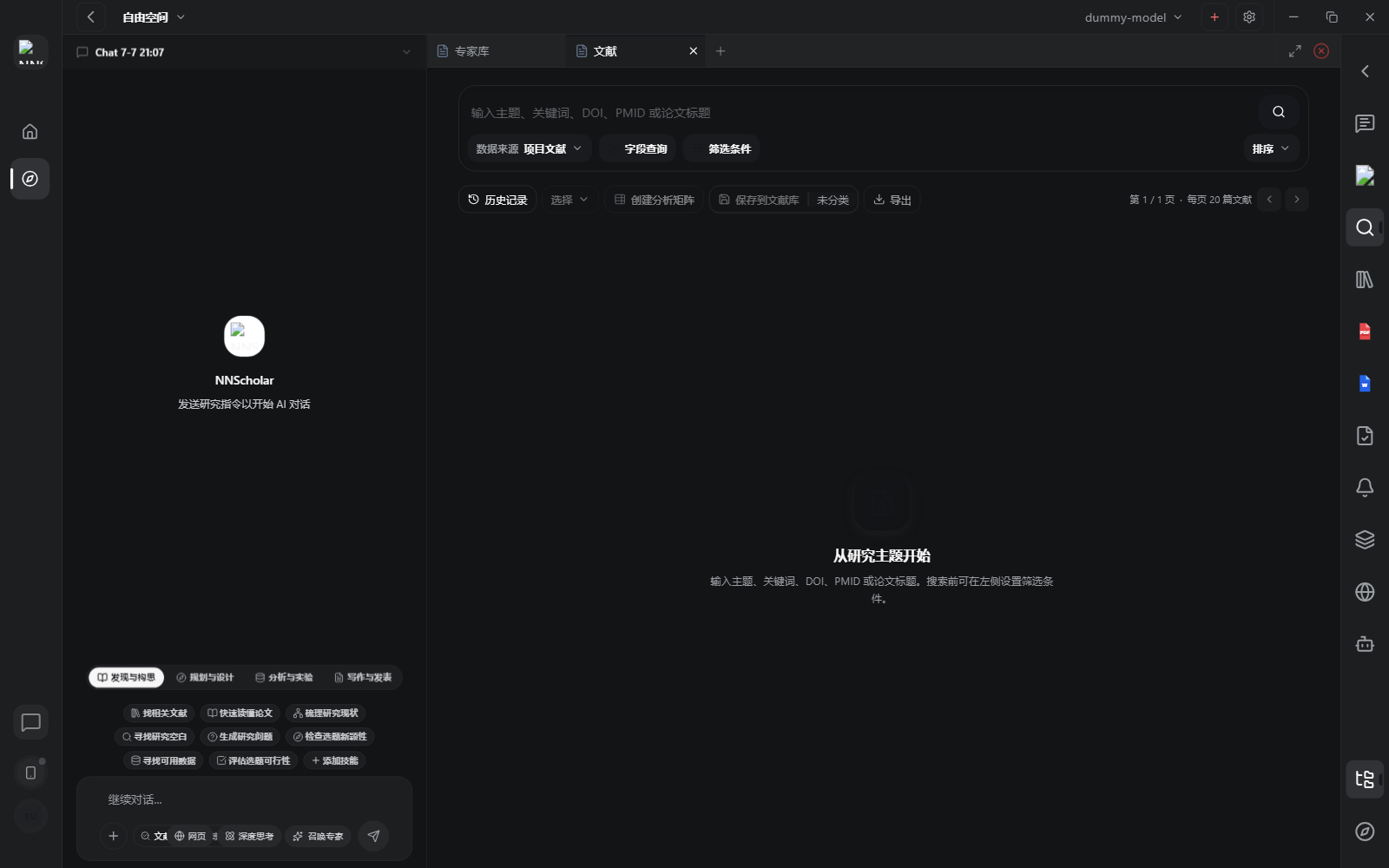
When it opens, you see the search box, data source selector, field query, filter controls, sorting, history, save-to-library, and export actions. The module should feel like a focused scholarly search desk: start from a research topic, narrow the result set, then preserve the useful papers.
Use Literature for:
- searching by research question, keyword, author, method, outcome, or citation target
- selecting search sources and sort order
- applying filters and advanced search clauses
- reviewing search jobs, runs, and history
- selecting candidate papers and saving them into Library folders
- exporting results when you need an outside review or downstream analysis
How to use it:
- Start with a search question that is narrow enough to screen.
- Choose the source, sort mode, and filters that match the task. Use advanced clauses when simple keywords are too loose.
- Run the search and screen titles, abstracts, years, venues, authors, and identifiers.
- Select papers that are worth reading or citing.
- Save selected papers to a named Library folder instead of leaving them only in the search page.
- Use search history when you need to compare runs or recover a prior query.
Before leaving Literature, check that useful papers are saved to Library, rejected papers are not silently mixed with the reading set, and the search query is specific enough to reproduce.
Example Demo
Scenario: you need core papers on how SGLT2 inhibitors affect kidney outcomes in patients with heart failure.
How to run it:
- Enter broad topic terms first to map the research direction.
- Ask the agent to prioritize papers by year, study type, sample size, and journal relevance.
- Select 8 to 15 relevant papers and save them to a Library folder named
SGLT2-heart-failure-core. - Download available PDFs for the selected papers.
The result is not just a search results page. It is a reusable literature set ready for reading and citation.
Next Step
Return to the right-rail module overview, or move the current output into the next module in the workflow.