
Research Automation
How to use the NNScholar desktop Research Automation module, with screenshot guidance and completion checks.
Research automation is for work that should repeat without manually restarting it every time. It is useful for topic monitoring, recurring briefs, and scheduled research checks.
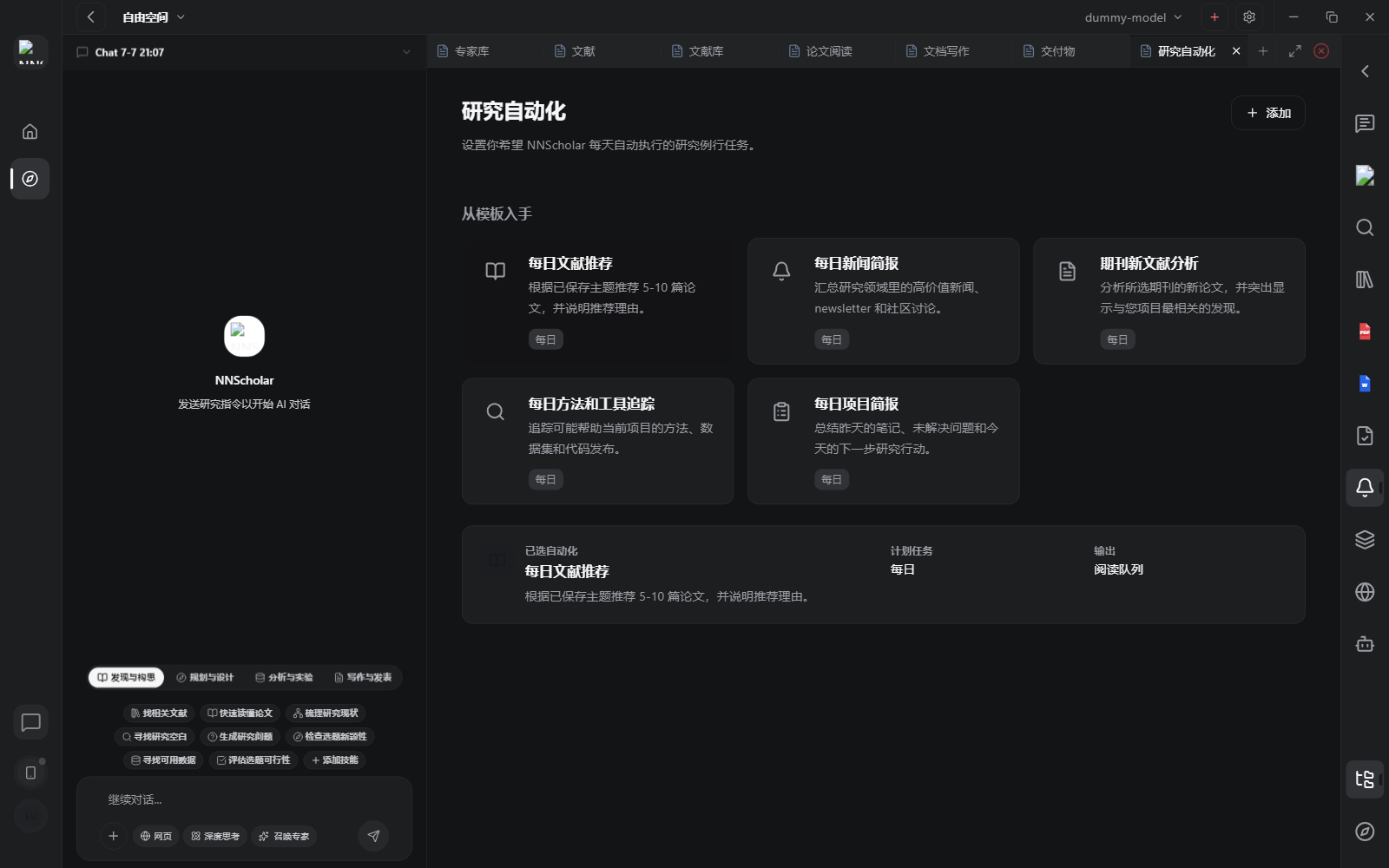
When it opens, you see automation templates, the add action, cadence information, and output destinations. It helps users turn repeated research work into a routine, such as daily paper recommendations, news briefs, journal updates, method tracking, or project summaries.
Use Research automation for:
- adding a new recurring research task
- choosing a template, such as recommending 5 to 10 papers from saved topics
- setting up literature alerts, deadline reminders, periodic topic scans, or recurring reports
- reviewing an existing automation and its selected configuration
- making sure repeated outputs land where you will actually review them
How to use it:
- Open Research automation when the same task needs to run more than once.
- Choose an existing template when it matches the goal. Start custom only when the template is too narrow.
- Define the topic, source material, cadence, output format, and review location.
- Keep the automation small enough that each run is reviewable.
- Periodically inspect outputs and refine the prompt, filters, or schedule when results drift.
Before leaving Research automation, check the trigger, cadence, output destination, and owner of the review step. An automation is not finished until someone knows where to inspect its results.
Example Demo
Scenario: every week you need to monitor new papers on PCAT, coronary CTA, diabetes, and prognosis.
How to run it:
- Define the monitoring topic, inclusion criteria, and output format in Chat.
- Save seed papers in Library so the automation has a clear topic boundary.
- Open Research automation and create a weekly new-paper alert.
- Ask the output to include new papers, why they are relevant, whether PDFs should be downloaded, and whether they affect the current manuscript.
The recurring search no longer relies on memory. Each weekly output lands in a predictable place for review and follow-up.
Next Step
Return to the right-rail module overview, or move the current output into the next module in the workflow.